Revolutionize your book indexing with artificial intelligence. Save days of manual work and let AI intelligently extract and organize index terms from your book automatically. PDF Index Generator’s AI-Mode uses advanced natural language processing to read your book and suggest relevant index terms. Choose from three intelligent modes based on your needs.
Why Choose AI Indexing?
Save Days of Work
AI reads your entire book and suggests index terms automatically, eliminating hours or days of manual term collection.
Context-Aware
Understands meaning and importance, not just exact matches. Finds related terms you might miss manually.
Multilingual
Full support for Arabic, Chinese, Japanese, Korean, and all Unicode languages with automatic script detection.
Three AI Modes
🤖 Automatic Mode
Let AI analyze your entire book and suggest all relevant index terms automatically. Zero configuration required — just click and go.
Perfect for most books🎯 Subjects Mode
Focus AI extraction on specific topics like “Medical terms,” “Person names,” or “Historical figures.” Ideal for specialized content.
Domain-specific indexing📂 Categories Mode
Provide your own term lists, and AI intelligently finds them along with their variants throughout your book.
Maximum controlHow It Works
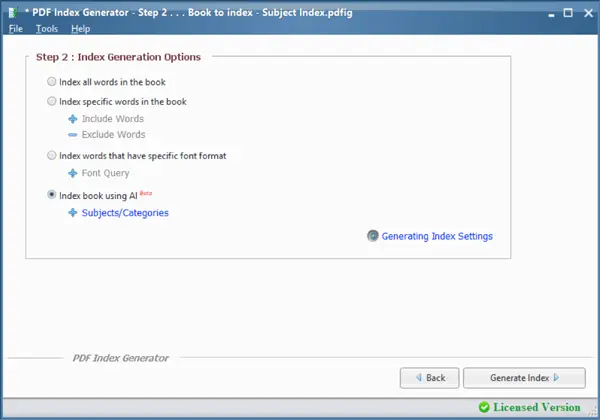
Step 2: Select AI-Mode
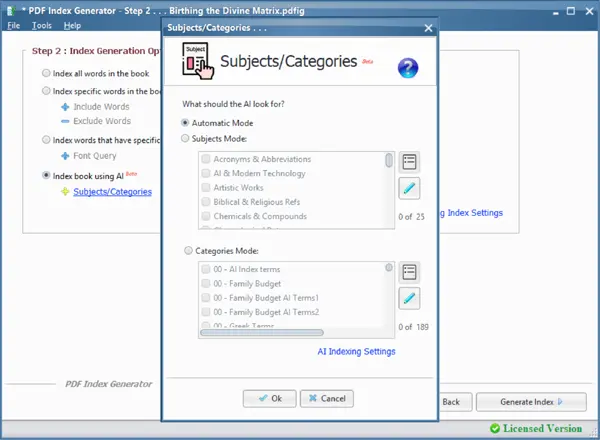
Choose your AI mode
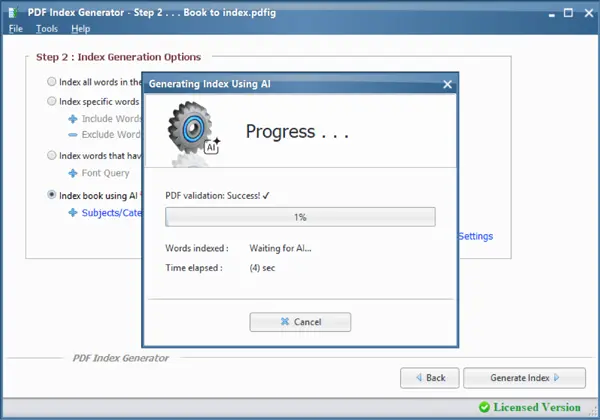
AI processes your book
Classic-Mode vs. AI-Mode
AI Credits System
AI indexing uses a simple credit-based system. 1 credit = 1 PDF page (or 200 words for denser pages). Non-Latin languages (Arabic, Chinese, Japanese) use 2 credits per page due to increased computational complexity.
Learn More About AI Indexing
Ready to Try PDF Index Generator?
Open PDF Index Generator → Step 2 → Select “Index book using AI” → Choose your mode → Generate Index


